Driver App
The operation, in the driver's hands.
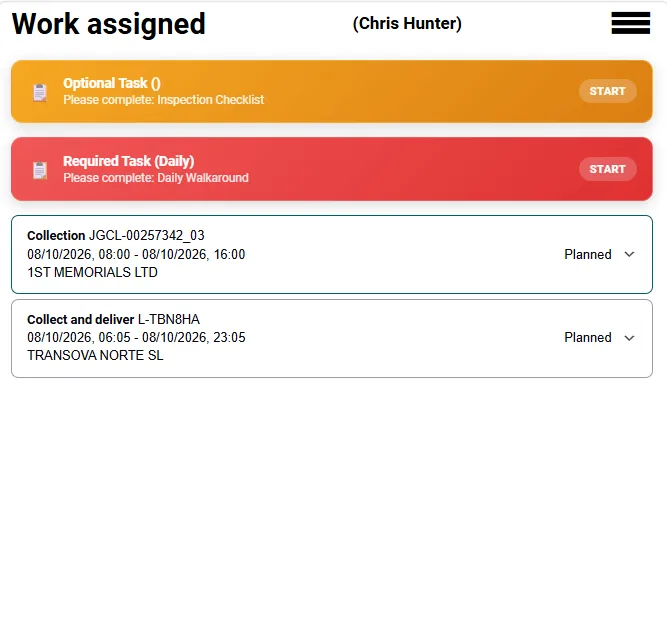
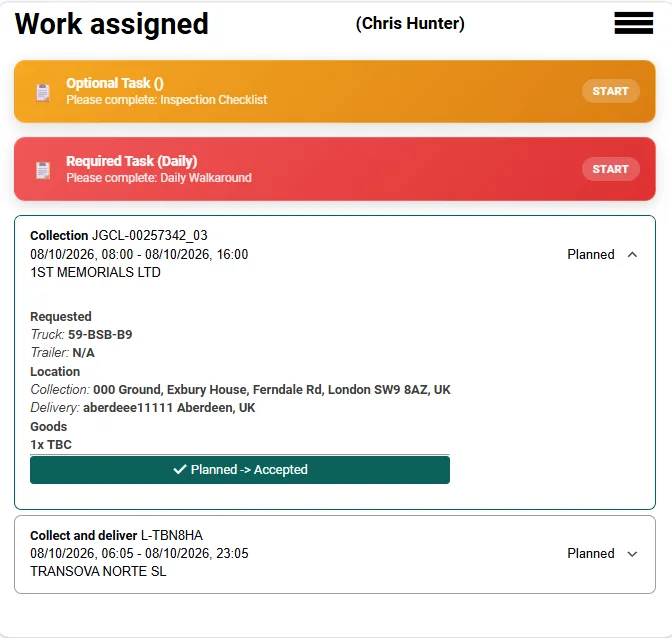
The plan only holds if the cab knows about it. The Driver App carries the day's work to the driver, puts the full instruction behind every job, and brings the checks and the delivery evidence straight back to the office — without a second system, a paper run sheet or a phone call to confirm what happened.
The working day in the cab
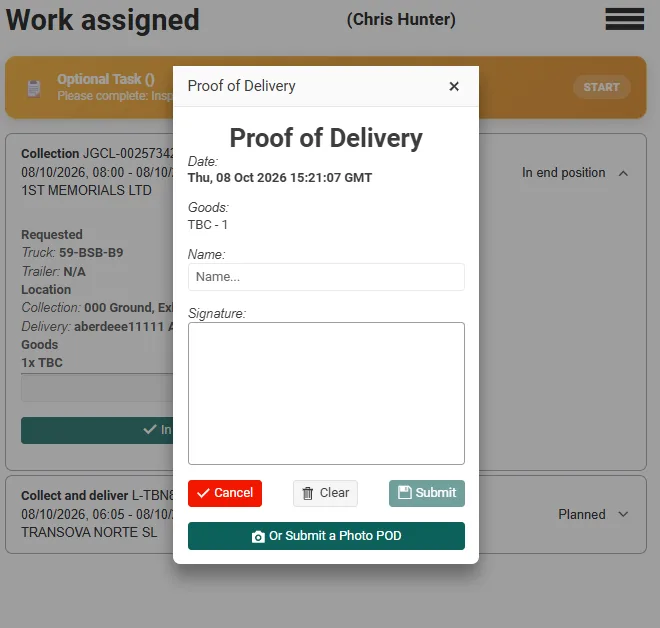
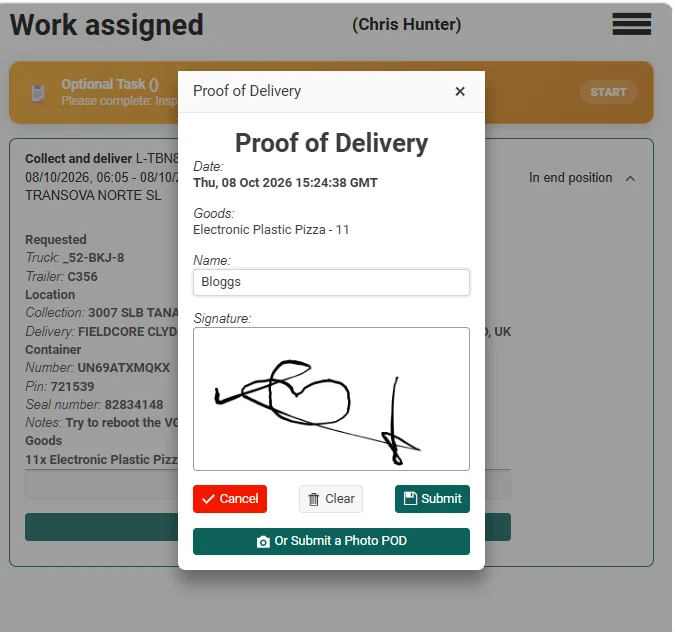
Four screens, from allocation to signature.
Checks and defects
The walkaround check is part of the day, not paperwork afterwards.
The daily walkaround check is presented with the work, so it is done before the first job rather than remembered at the end of the shift. Any inspection tasks the vehicle is due are listed in the same place, against the same registration.
Where the driver finds a defect, it is recorded in the app and sent as it is found. It arrives against the vehicle record, ready to be triaged, so the workshop sees it in the same minute the driver does — and planning sees the effect on the vehicle's availability.
Nothing depends on the driver recalling the detail at the depot gate, and nothing depends on the office reading handwriting later.
A check recorded in the cab is a record with a time, a driver and a vehicle on it — the evidence an operator is asked for.
Back in the office
Capture returns to the job it belongs to.
When the driver submits a proof of delivery, the signature or the photograph is attached to that job as completion evidence. The traffic desk sees the status change and the evidence together, at the moment it happens, not in a batch of paperwork the following morning.
Nothing is copied from a phone, scanned in, or re-keyed into a second system. The evidence sits on the same job that was planned, allocated and dispatched, so the history of a delivery is one record from start to finish.
The same applies to anything else captured during the day: a defect, a check, a photograph, a form completed at a site. It lands on the record it concerns — the job, the vehicle or the driver — and the operation moves on from what actually happened.
Driver App
Put the day in the driver's hand and the evidence in yours.
See the app working through your own work, your own checks and your own delivery evidence in a demonstration.